
 Licences
TodayEvery extra panel, runtime or tag bundle is another line on the quote.
Add a screen by opening a browser.
In your own plant nothing is counted: not screens, not tags, not users.
NEXT HMI replaces proprietary HMI/SCADA panels with one self-hosted server: your PLCs on OPC-UA in, live operator screens in any browser out. Built for the people who run plants, integrate lines and ship machines.
A portable zip runs on Windows and macOS, no install required · read the documentation
 Licences
TodayEvery extra panel, runtime or tag bundle is another line on the quote.
In your own plant nothing is counted: not screens, not tags, not users.
 Engineering
TodayOne workstation with the right vendor software, the right version and a dongle.
The editor runs in the browser, on the same server as the runtime. Nothing to install, no seat to licence.
 Change control
TodayA binary project file that only one version of one tool can open.
Pages, alarms and translations are JSON and CSV. Diff them, review them and roll them back in Git.
Any number of screens, servers and sites.
For machine builders and integrators who deliver NEXT HMI to a customer.
Shipping it under the open licence, source included, stays €0. The audit trail for regulated plants is a separate add-on at €99 per installation. Full pricing →
No feature tiers to compare. What you evaluate is what you run.
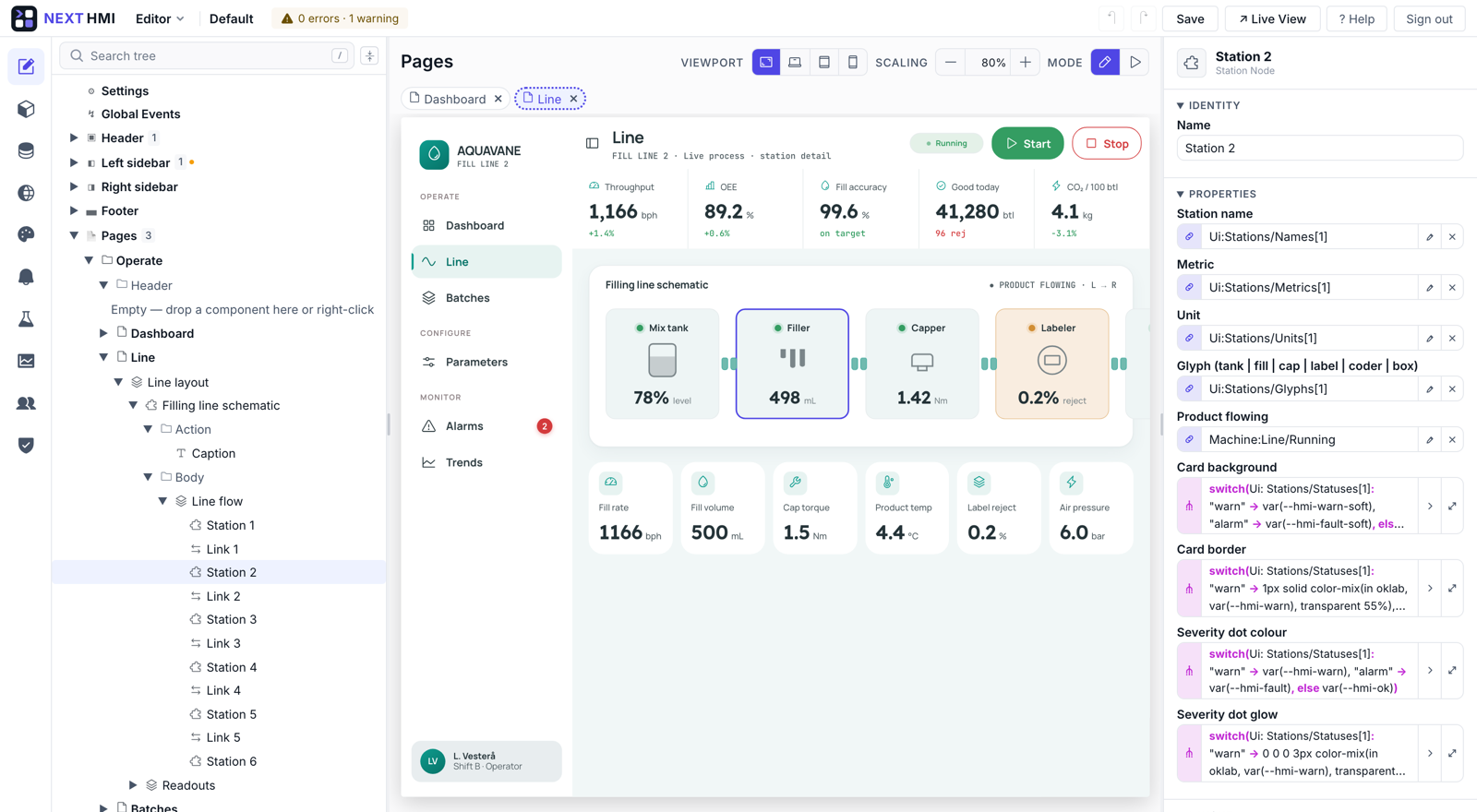
Bind a widget to an OPC-UA tag and the live value shows on the canvas before you close the picker. No compile, no download to the panel, no simulation.
Live data while editing →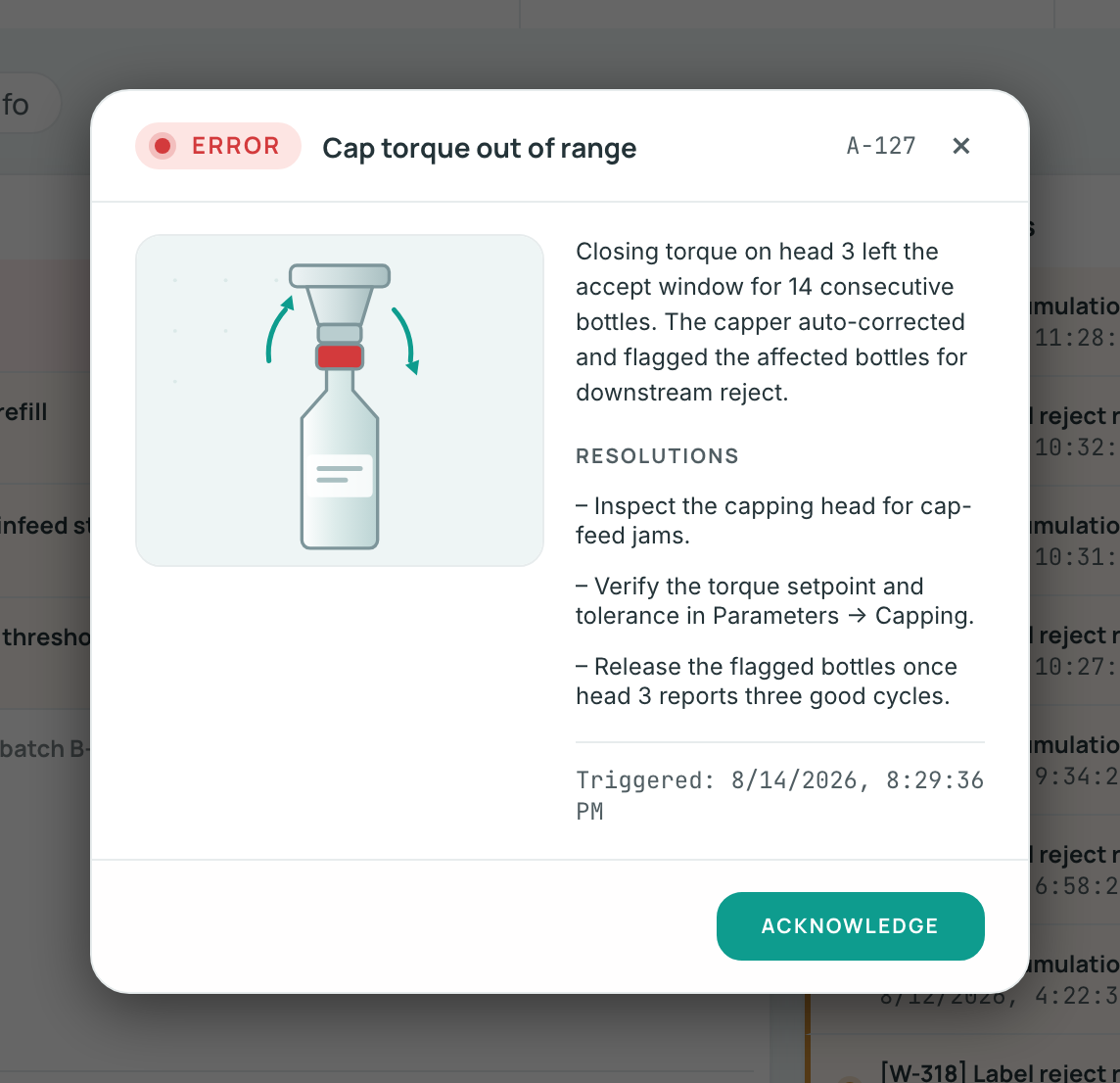
A severity, the cause in plain language and the steps to resolve it, so the night shift knows what to do.
Alarms →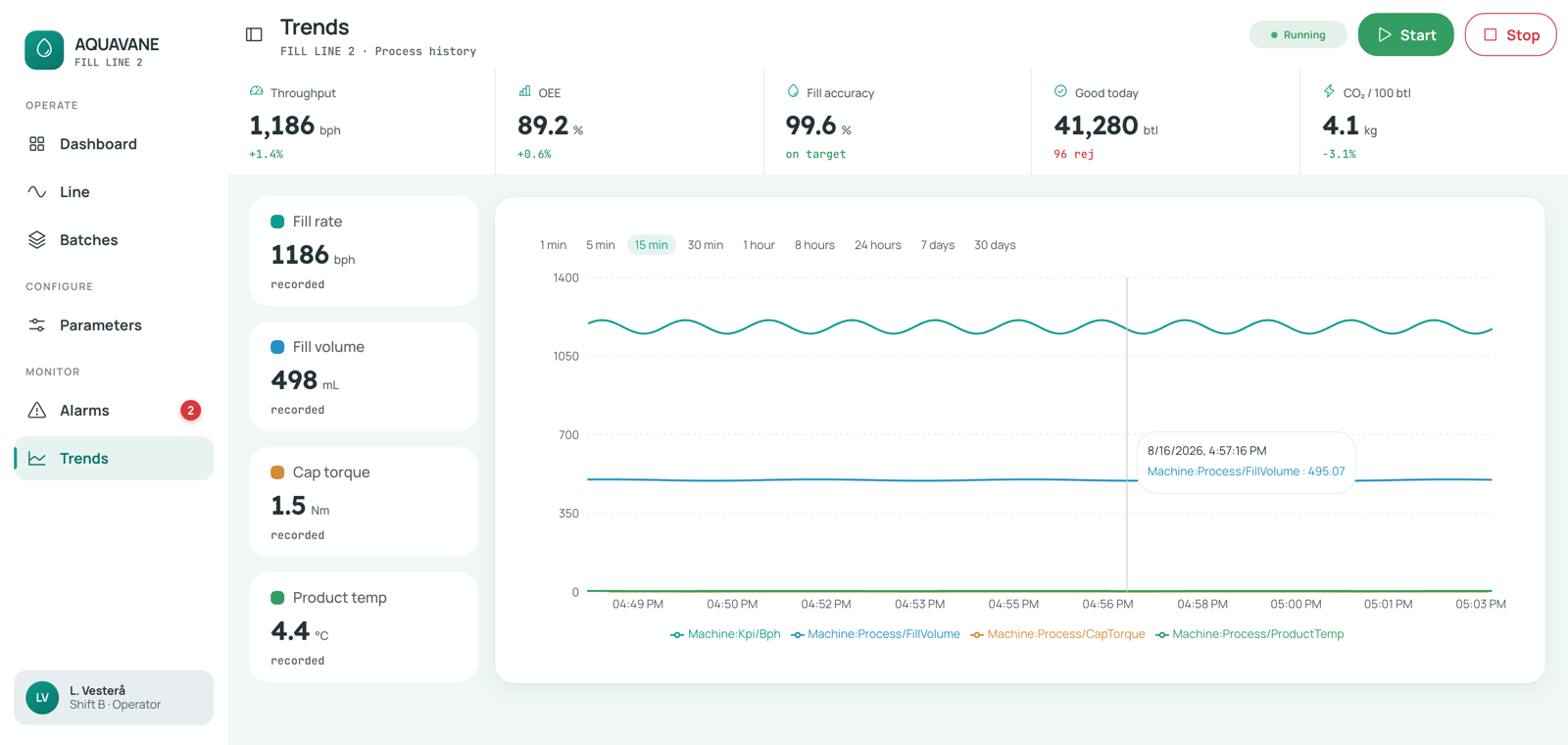
Log any tag with its own interval and retention, and chart it next to the live value.
Historian →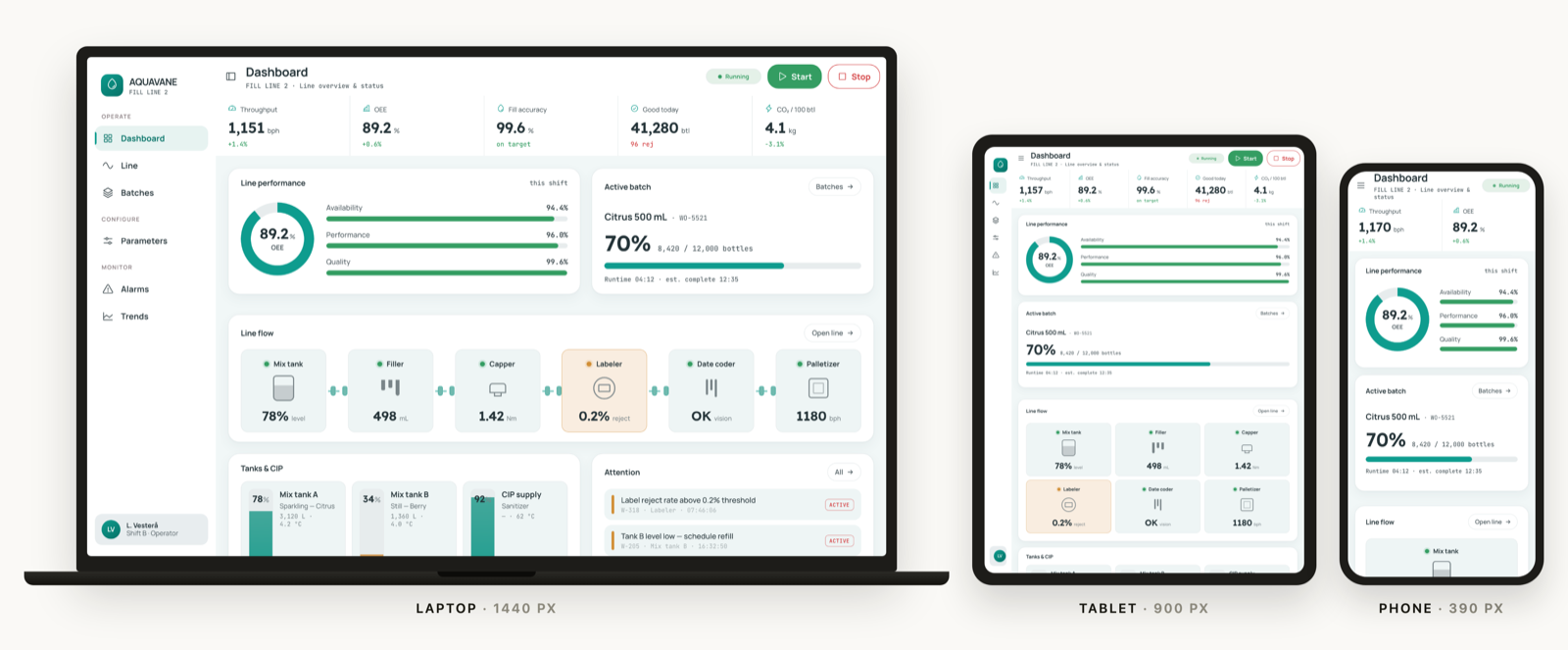
The panel PC, the tablet on the shop floor and the phone in your pocket, from the same pages.
Responsive →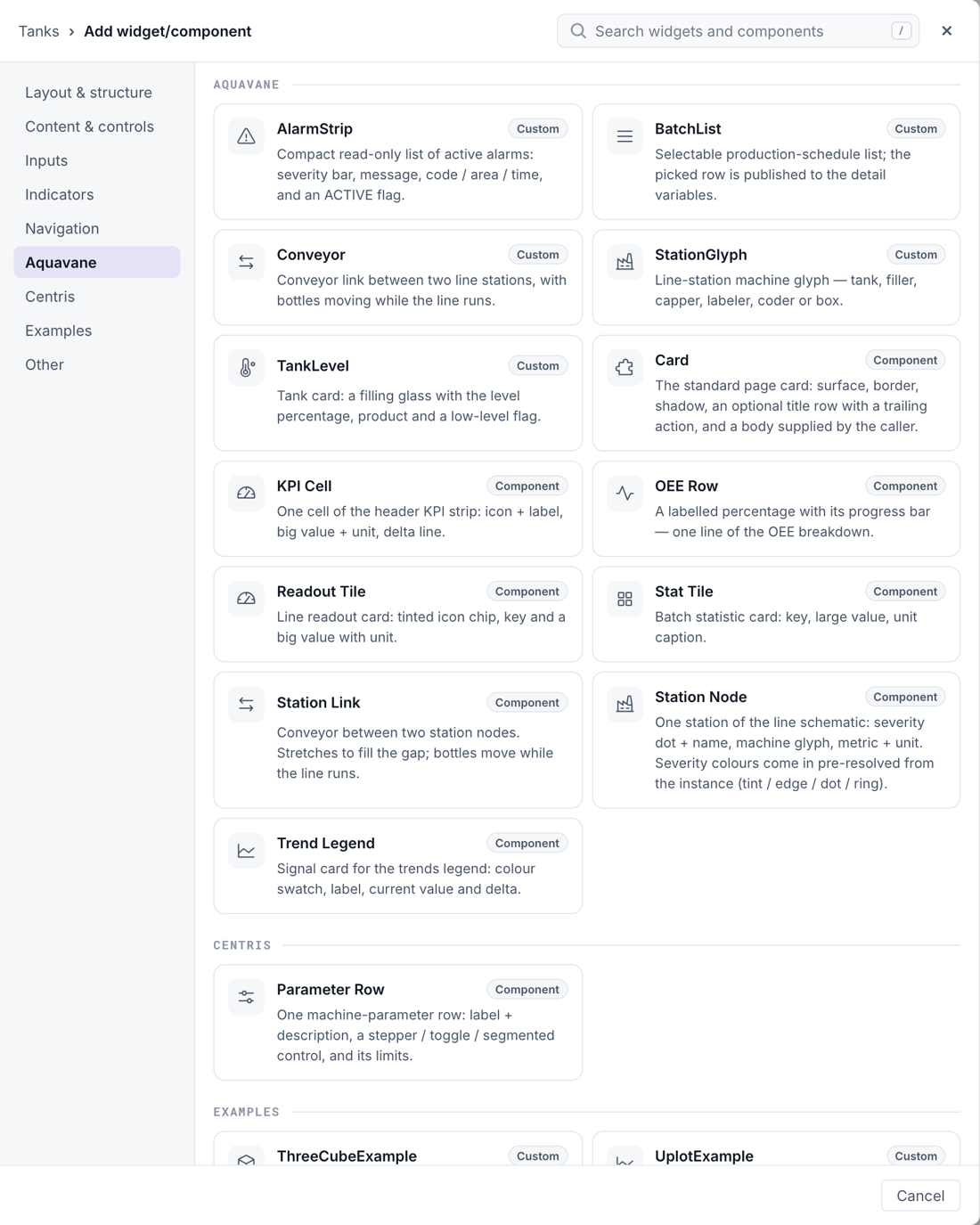
Missing a symbol or a control? Write it in React and it sits next to the built-ins, without touching the core.
Extend →An AI assistant can build pages alongside you through the built-in MCP server. Every destructive change is shown to you as a diff first.
MCP →Three kinds of teams use NEXT HMI, and each starts with a different question.
Modern screens on the machines you already have.
The same toolset on every job.
Your own branded HMI with every machine.
Portable zip, Docker, or from source, and a real demo project to open instead of a blank screen. Nothing to request, no quote to wait for.
Try now →What changed, what is fixed, and what is worth upgrading a running panel for.